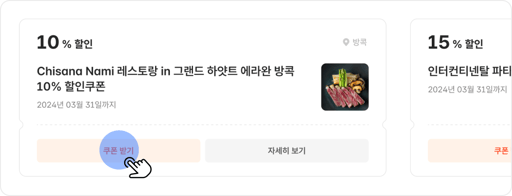
1. Download the coupon you want from the Coupons page
* You can find downloaded coupons under My Page Coupons
2
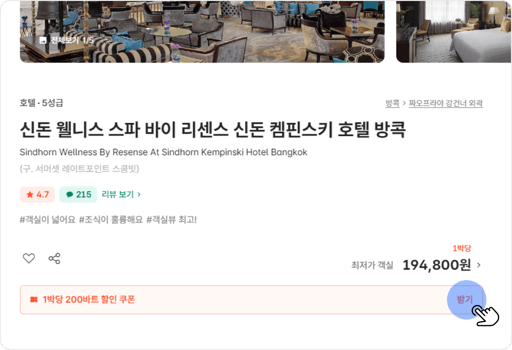
2. Book a product eligible for the coupon
* You can also download the coupon from the product page
3
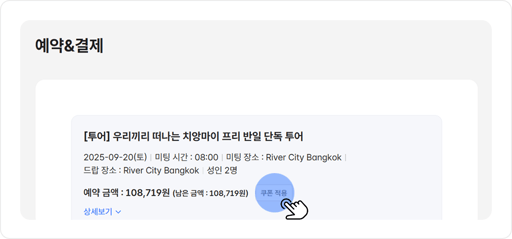
3. Select the product you want to book, then click Apply coupon.
* The button appears only for products eligible for the coupon.
4
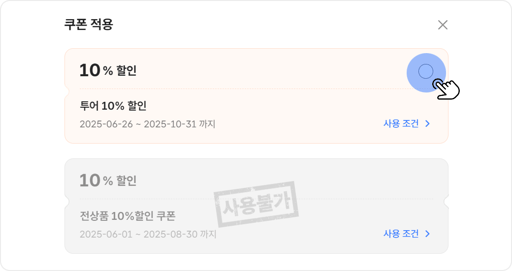
4. Select your coupon to apply the discount.
Important notes
- MonkeyTravel customers who have made at least one booking can download and use this coupon.
- Present a printed copy of the coupon at the venue. The coupon must show the booker’s name and issue date. (Valid for 3 months from the issue date)
※ Coupon discounts apply to the base room or program rate only. They don’t apply to add-ons, surcharges, or other fees that arise from your booking conditions.
Coupon details
#discountValue# points#title#
#subTitle#
Expiration date
#expirationDateText#
Coupon number
#couponCode#
Eligible users
#targetLevels#
#issueCondition.textInfo#
#issueCondition.bookingConditionText#
#issueCondition.paymentConditionText#
#issueCondition.issueQuantityText#
#issueCondition.issueTypeText#
Reservation condition is set but details are not available.
Payment condition is set but details are not available.